Your Shopify Shipping Rates, Now Automatically Updated on Renewals
Keep subscription shipping in sync with your Shopify rates, without the manual work.
Your shipping rates change. Maybe you introduce a new free-shipping offer, adjust your delivery prices, or your shipping provider updates its rates.
Until now, those changes didn't automatically carry over to existing subscriptions. Shipping prices were set when a subscription started, leaving you to manually update them as your rates or subscribers' orders changed.
Not anymore.
Ongoing Subscriptions now automatically checks your latest Shopify shipping rates ahead of scheduled renewals, so eligible subscriptions can benefit from your current shipping offers without you having to update them individually.
Your Shopify rates, automatically kept in sync
You've already set up your shipping rates in Shopify. Now Ongoing puts those rates to work for your recurring orders, too.
Ahead of each scheduled renewal, we ask Shopify to recalculate shipping using your current settings and available shipping rates, including supported carrier-calculated rates.
That means:
- Changes to your Shopify shipping rates are picked up automatically. When you introduce a better shipping offer or lower a rate, qualifying subscriptions can benefit on their next renewal.
- Free-shipping offers keep working as subscriptions grow. If a subscriber adds products and reaches your free-shipping minimum, their next renewal can qualify for free shipping.
- Less manual work for your team. No more searching through subscriptions and adjusting shipping prices one by one.
All using the shipping rates you've already configured in Shopify.
Better shipping rates, without unexpected increases
We designed automatic shipping updates to protect the experience your subscribers signed up for.
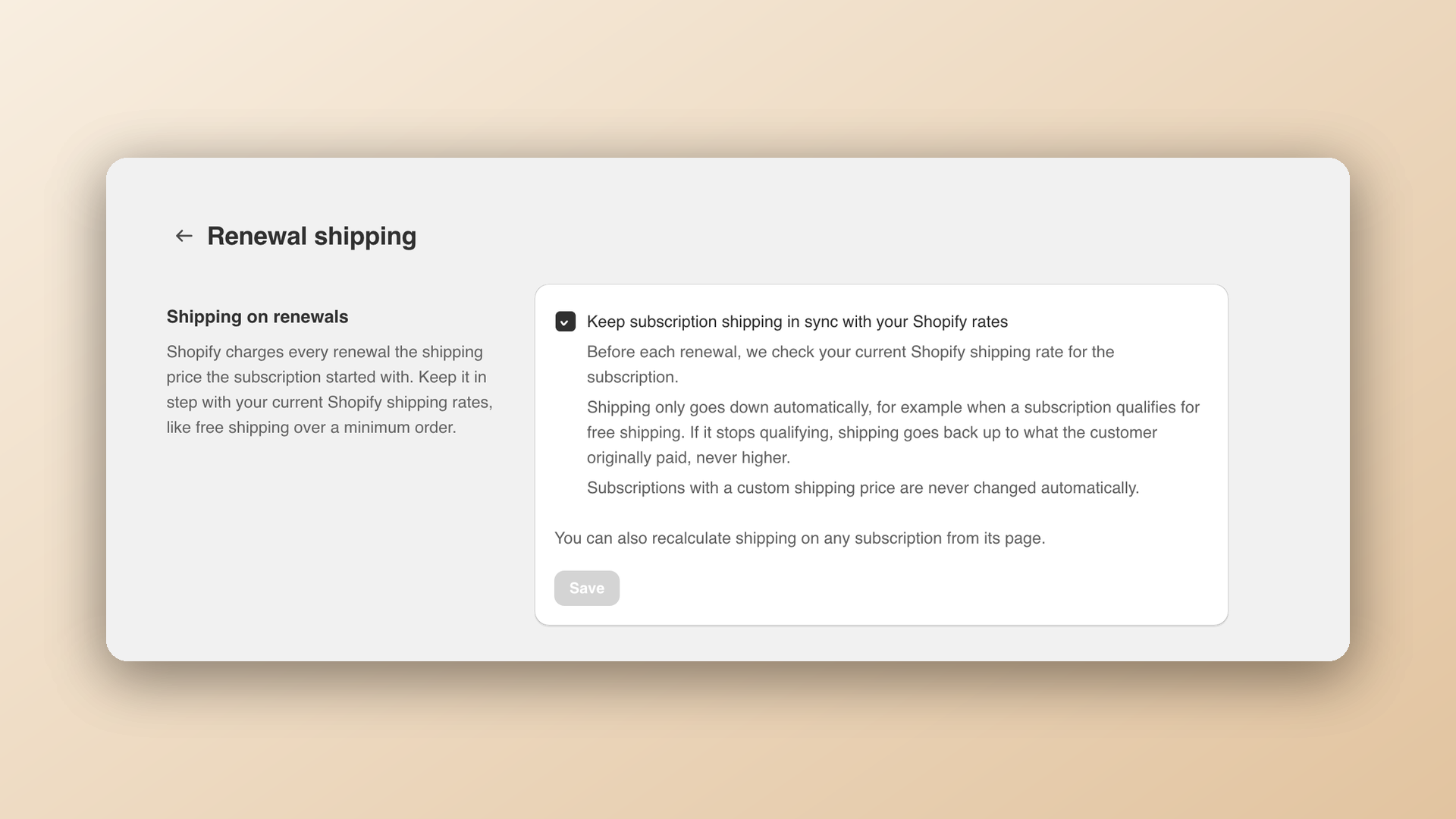
Shipping can automatically go down, but never above the customer's originally agreed price.
If a subscription qualifies for free shipping, we'll apply it. If the customer later removes products and no longer qualifies, shipping can return to its previous amount, but never exceed the original price.
And if you've manually set a custom shipping price, we'll leave it alone.
Every automatic adjustment is also recorded in the subscription's activity history, so you can see what changed and why.
See your live Shopify rates anytime
Want to check shipping for a specific subscription?
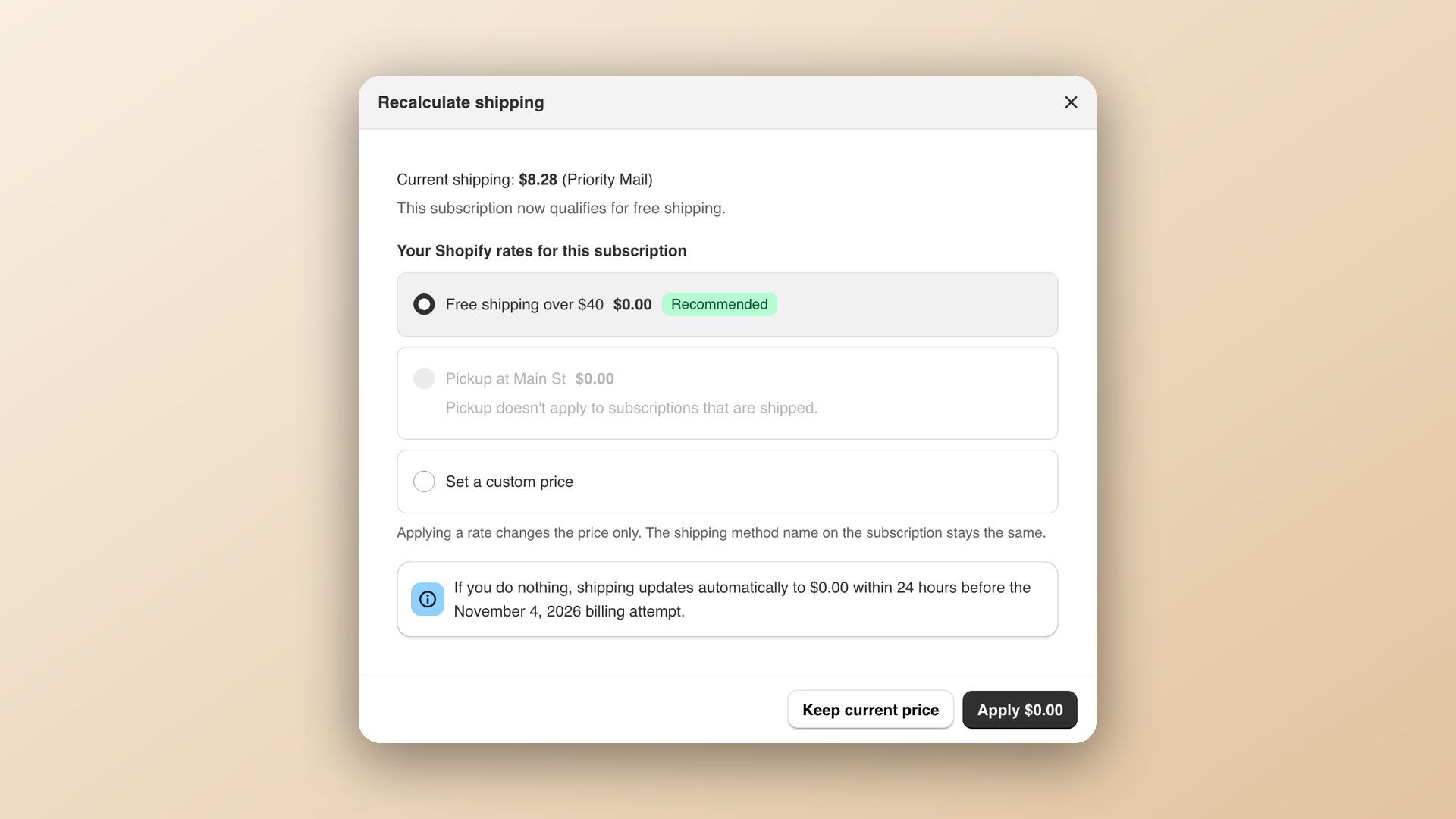
Open the subscription and click Recalculate shipping.
You'll see the available rates calculated by Shopify for that subscription. You can apply an eligible rate immediately, keep the current price, or set a custom amount.
You're always in control.
Set it and forget it
With automatic shipping updates enabled, Ongoing takes care of checking rates ahead of scheduled renewals.
There's no separate set of shipping rules to maintain. Just manage your shipping in Shopify as usual, and we'll check those rates for your subscriptions.
You can manage automatic updates anytime under Settings → Renewal shipping.
One less thing to manage. One more way to give subscribers a great experience.
Your Shopify shipping offers can now keep working long after the first checkout.