Let Trusted Visitors Browse Without Restrictions
Choose who can copy text, save images and right-click on your store, while everyone else stays protected.
Protecting your store's images and content shouldn't make it harder to run your business.
You can now choose who can copy text, save images, and right-click on your store, while keeping your protection in place for everyone else.
Whether you're working with your team, sharing product photos with wholesale buyers, or collaborating with a photographer, you can give the right people the access they need.
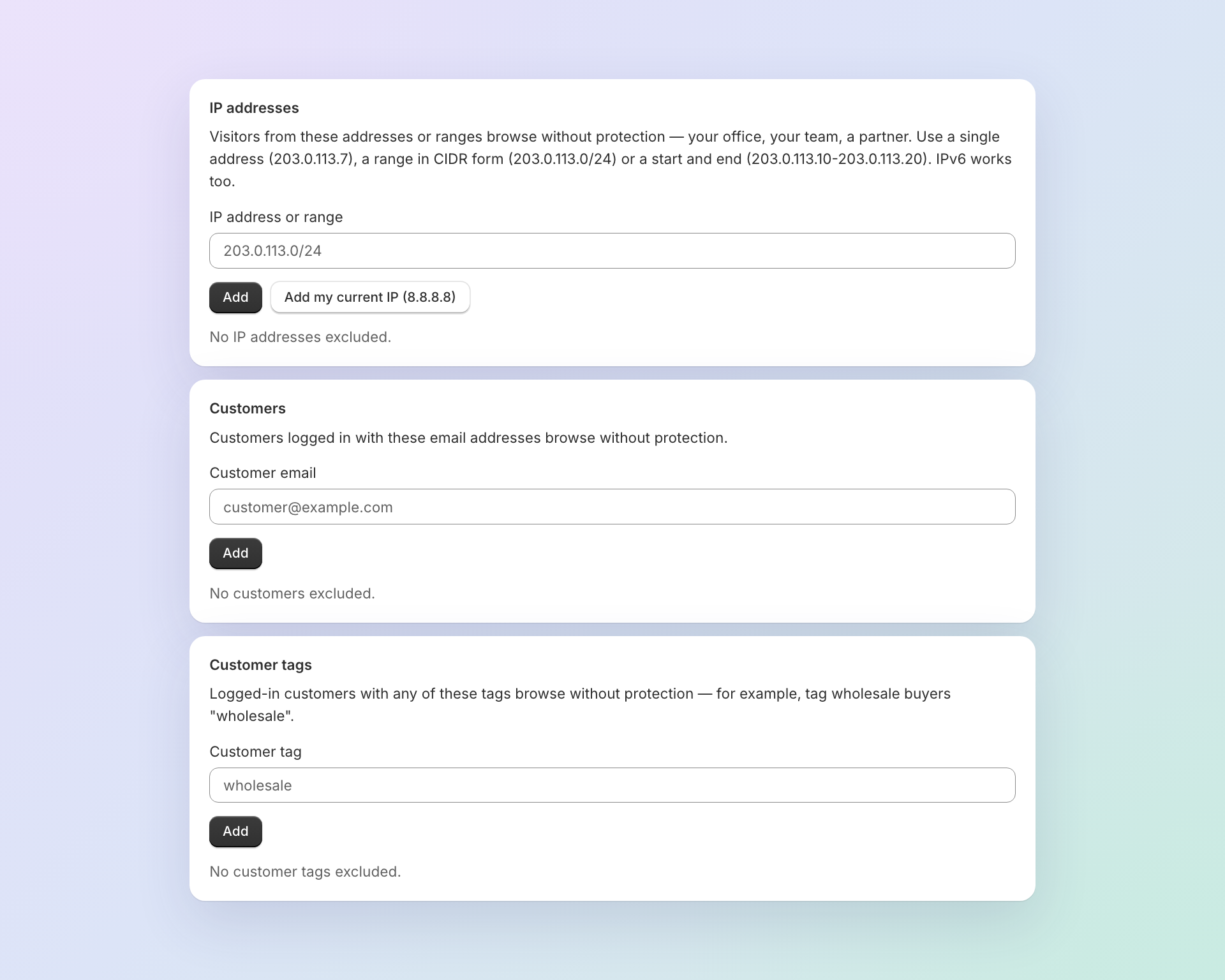
What's new
- Let your team work without restrictions. Add your office, team, or agency's IP address so they can browse and work with your store's content normally. You can even add your current IP address in one click.
- Make things easier for trusted customers. Exclude customers by email address. When they log in, they'll be able to copy product descriptions and save images without restrictions.
- Give wholesale and VIP customers automatic access. Exclude customers using Shopify tags like
wholesaleorvip. Anyone with a matching tag can browse without restrictions when logged in. Just manage their tags in Shopify, and we'll take care of the rest.
Your store stays protected
There's no need to turn off protection for your entire store just to accommodate a few people. Everyone else continues to have your existing right-click, copy, and image-saving protections.
Ready to try it? Open the new Exclusions page in Right Click Defender to choose who can browse without restrictions.